5 Best Practices for OTA Distribution of Apps
By appforshare Author · · 4 min read
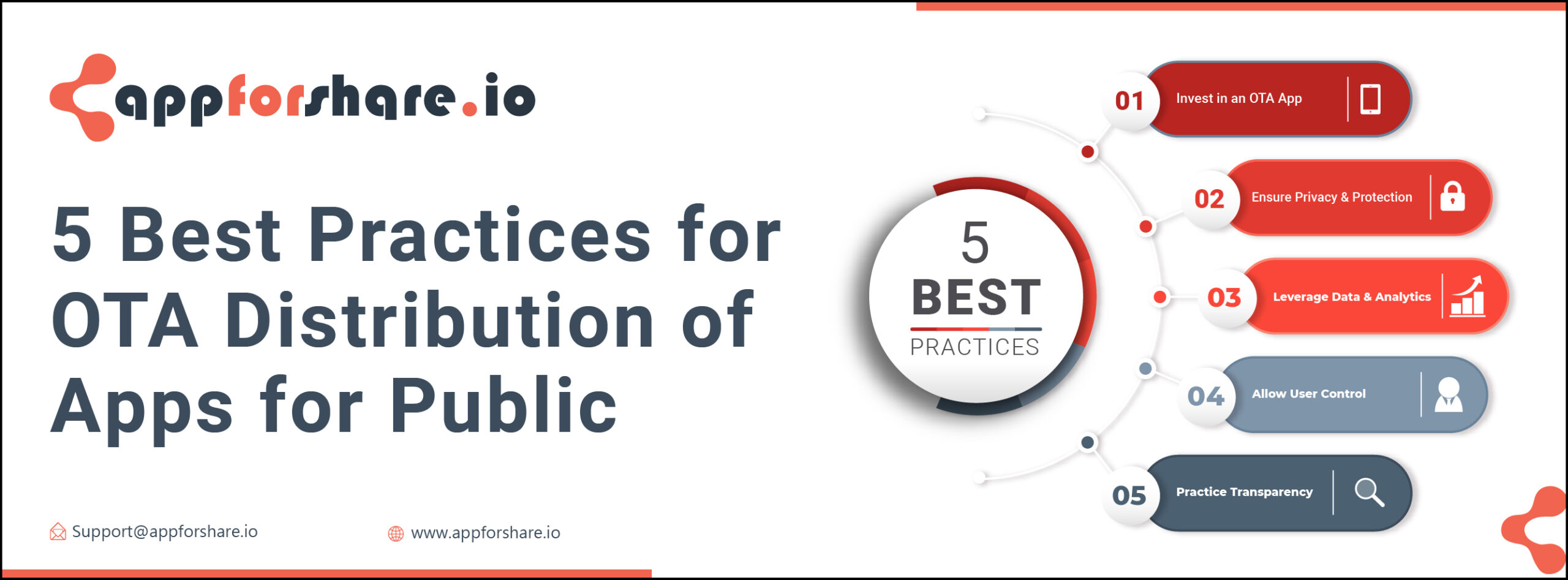
The five best practices for over the air (OTA) app distribution are: use a dedicated distribution service, restrict who can open each build, measure installs, respect testers' data and control, and be open about what you collect. Together they get builds to the right people quickly without exposing unreleased apps or your testers' privacy.
OTA distribution here means sending iOS and Android builds to testers, clients or internal users through an install link, outside Google Play and the App Store. It is meant for test builds and limited audiences. For public release to everyone, use the official stores.
1. Use a dedicated distribution service
You can host .apk files and write iOS install manifests yourself, but you then have to manage HTTPS, the itms-services manifest format, link expiry and storage. A distribution service handles that and gives testers a clean install page.
With AppForShare you upload an .apk or .ipa, and it creates an install page with a link and a QR code. Testers open it on their phone and install. See How to use AppForShare to send .apk or .ipa files to your clients for the steps.
Whatever tool you use, sign builds correctly. On iOS, OTA installs only work for builds signed Ad Hoc, Enterprise or Development. On Android, share an .apk rather than an .aab.
2. Restrict who can open each build
An unreleased build can reveal features, API endpoints and branding before launch. Treat install links like credentials:
- Add a password to links for sensitive builds (AppForShare Free plan and above), and send it through a different channel than the link.
- Invite testers by name where possible. On the AppForShare Team plan, private projects can only be opened by invited testers.
- Use Ad Hoc signing on iOS when you need a hard limit: only devices whose UDID is in the provisioning profile can install the build.
- Remove builds you no longer need. Fewer live links means less exposure.
- Use HTTPS only. iOS requires it for OTA installs, and testers should never download builds over plain HTTP.
3. Measure installs
Knowing who installed which build tells you whether feedback refers to the latest version and whether a release candidate has reached enough devices.
AppForShare Pro and Team show install analytics: devices, OS versions, models, countries and a daily series. Team adds a "who installed" view for invited testers. These numbers cover installs only. AppForShare has no in-app SDK, so for crashes and in-app behaviour you need a separate crash reporting or analytics tool in your app.
4. Respect testers' data and control
Test builds often run with debug logging and early versions of permission prompts. Good practice:
- Ask only for the permissions the feature under test actually needs.
- Explain each permission request in plain words, as you would in the store version.
- Let testers opt out of optional data collection.
- Avoid shipping test builds that log personal data to shared servers.
5. Be open about what you collect
Testers install your build outside the store, which already asks for trust. On Android they have to allow installs from unknown sources. On iOS they may have to send their UDID and turn on Developer Mode. Return that trust by being clear:
- Link your privacy policy from the build's release notes or onboarding.
- Tell testers what the test build collects and how long you keep it.
- Know what your distribution tool stores too. For example, AppForShare stores IP addresses hashed, keeps install analytics for 13 months and deletes UDID lookups after 1 day, as described in its privacy policy.
Benefits of OTA distribution
- Faster feedback: a build reaches testers minutes after it is ready, with no store review.
- Less manual work: no cables or device syncing. On AppForShare Pro you can upload straight from CI with an upload token and post new builds to Slack or Discord with webhooks.
- Clear versioning: every upload is a new build with its own link, so testers know exactly which version they have.
Compare plans and limits on the pricing page.
Frequently asked questions
What is OTA app distribution?
It is sending app builds to testers or users through an install link that they open on their phone, instead of through Google Play or the App Store. It is mostly used for testing and internal apps.
How do I keep OTA install links private?
Add a password to the link, send it only to the people who need it, and remove builds you no longer need. On AppForShare Team, private projects can only be opened by invited testers.
Can I see who installed my build?
On AppForShare Pro and Team you see install analytics by device, OS version, model and country. Team also shows which invited testers installed a build.
Is OTA distribution suitable for public app releases?
Not usually. iOS only allows OTA installs for Ad Hoc, Enterprise or Development builds, which are meant for limited audiences. Public releases belong on Google Play and the App Store.


